
Documentation Index

Fetch the complete documentation index at: https://integrations.docs.commenda.io/llms.txt

Use this file to discover all available pages before exploring further.

In order to get started using your own credentials for our Qoyod integration, your customer will need to first create an API Key for their Qoyod application. After that, they will need to enter their API Key on RootFi when prompted during the Qoyod integration setup on RootFi’s Connect Link. These steps are elaborated upon in detail below.

Part 1: Get API Key

  1. Login to your Qoyod Dashboard.
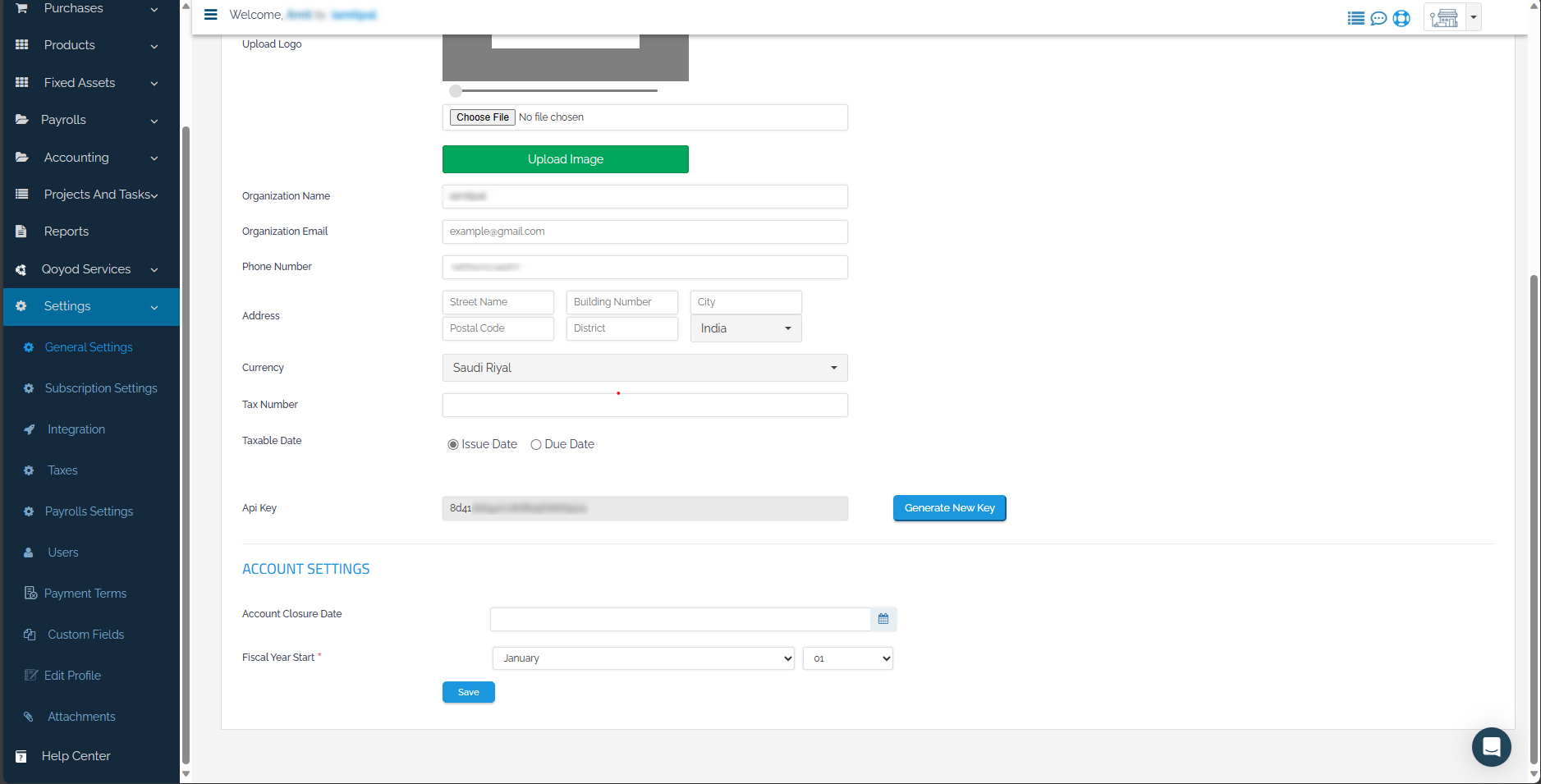
  2. Navigate to General Settings under Setting on the sidebar. Click ‘Generate New Key’ and click ‘Save’.
Part 2: Setting up the integration Using RootFi Connect

When your customer is connecting their Qoyod account to RootFi, they will need to enter their API Key on RootFi’s invite link setup.
  1. API Key: The key generated in the above steps.